Most to-do lists fail on the second day, and it is rarely because you’re lazy. A blank page has no limit on it, so every morning starts with a decision about how to lay the day out. A to-do list template makes that decision once and then stops asking.
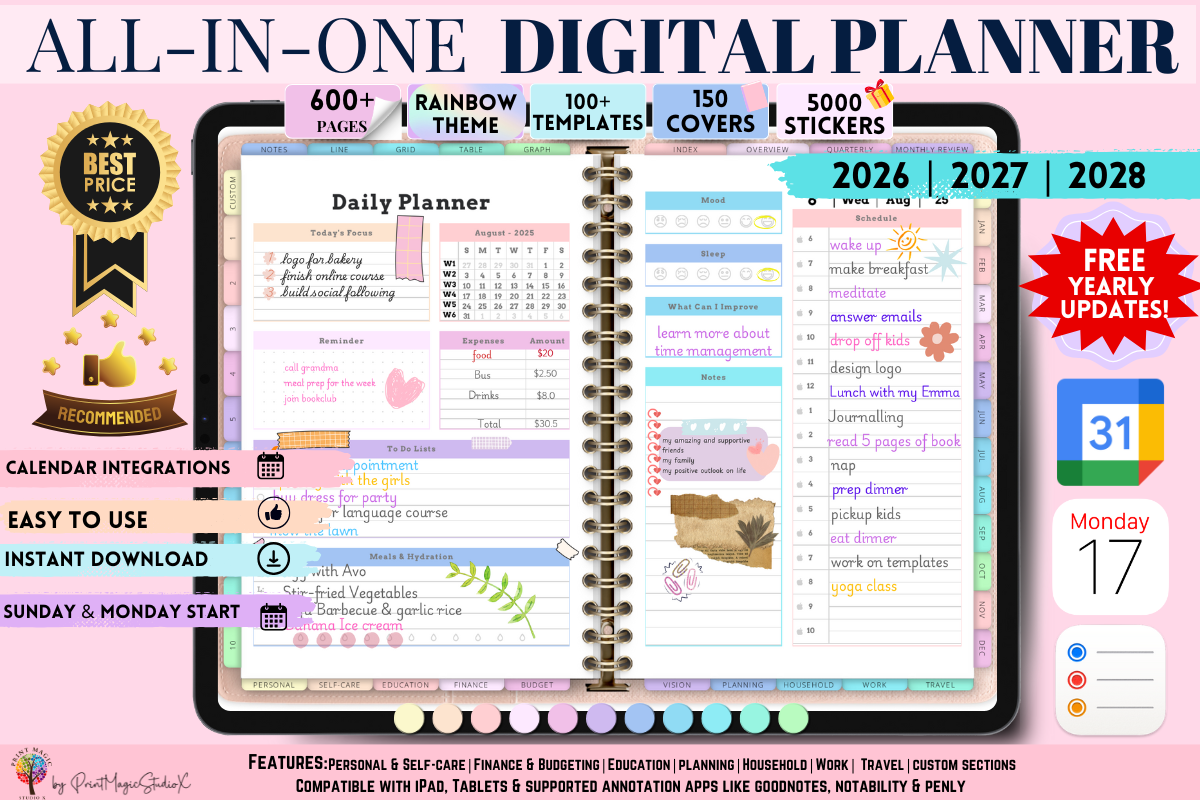
You print it, you fill the boxes, and the layout does the sorting for you. If you want the whole set of daily, weekly and monthly pages already drawn, an all-in-one digital planner is the shortest route there.
Below are the six layouts I keep coming back to and what each one is good at. Then how to build your own in about ten minutes. Then how the same layout behaves in Excel, Google Sheets, Notion, OneNote, Trello and Word. And last, how you pick the version that fits the way your days go.
Quick answer: the template that works is the one with a limit built in.
- Busy days: three “must do” lines and a shorter “if time” list underneath.
- Foggy days: a brain dump box first, then a narrow priority column.
- Whole week: seven boxes on one page, so you can see where the load falls.
A blank lined page has no limit, which is why lists on it grow until you stop opening them.
A to-do list template works when the space itself is the rule: three lines for what must happen, a checkbox to tick, and a separate box for everything that is not today.
What a good to-do list template has on it
Every template I keep has the same five parts. When a free one is missing three of them, I don’t print it, because the missing parts are the ones doing the work.
| Part | Size | Missing it costs you |
|---|---|---|
| Date line | One line, top | The page never ends |
| “Must do” area | Three tall rows | Nine top priorities |
| Checkbox column | One centimetre | Nothing to tick |
| “Later” box | A quarter sheet | Everything lands on today |
| Notes strip | Two lines, bottom | The three o’clock message |
Those five parts are what I check before anything else. Fonts, colours and little icons change nothing about whether the page gets used on day three.
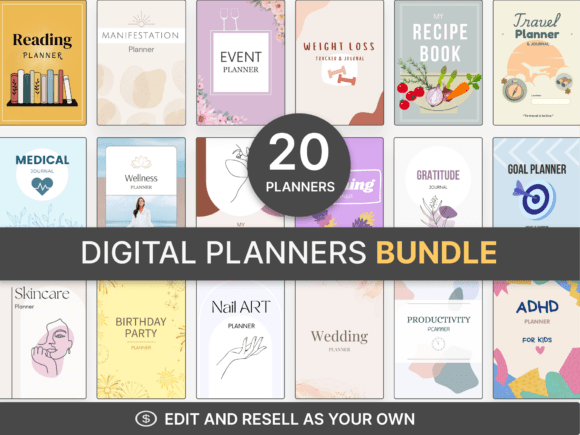
If you’d rather start from pages that already carry all five, the sheets in a set of editable Canva planner templates are drawn that way, and you only change the wording.
Six to-do list template layouts and who they suit
These six cover almost everything people ask for. I’ve drawn all of them by hand at some point, and the difference between them is not decoration, it’s which decision each one takes off your hands.
1. The daily three-and-five
One big task, three medium, five small. That’s the 1-3-5 rule, and the template is nine boxes in a stack, with the top box roughly twice the height of the bottom ones. It stops a day turning into nine equal emergencies. Best for a workday with real deadlines in it.
2. The brain dump and sort
A large empty box on the left, three lines on the right. You write everything on your mind into the box without ranking it, then pull across the three that really have to happen. The box can be messy, that’s the point of it. Best for mornings when everything feels urgent at once.
3. The Eisenhower grid
Four squares: urgent and important, important but not urgent, urgent but not important, and neither. Anything that lands in the last square gets a line through it there and then. Best when the list is long and you honestly cannot tell what is real and what is noise.
4. The weekly spread
Seven boxes on one page, or a five-day version with a narrow weekend strip down the side. The value is that you can see Wednesday is full and Friday is empty, and move something across before Wednesday arrives. Best for family weeks, school weeks and anything with uneven load.
5. The time-block list
A column of hours down the left and your tasks written beside them. Each task has to be given a slot, so “write the report” becomes “nine until half past ten” and you find out immediately whether the day has room. Best when your problem is time rather than memory.
6. The Ivy Lee six
Six lines, ranked one to six the evening before. You work through them in order and you don’t skip. Whatever is left at the end moves to tomorrow’s page in position one. Best if the thing that stops you is choosing what to start.
| Your problem | Template to print |
|---|---|
| Can’t pick one | Eisenhower grid |
| Head full of noise | Brain dump and sort |
| Hard deadlines | Daily three-and-five |
| Uneven weeks | Weekly spread |
| Hours slip away | Time-block list |
| Starting is hard | Ivy Lee six |
Six layouts means six printed masters to keep somewhere, which is the part people give up on. A planner that holds the daily, weekly and monthly layouts in one file keeps them together instead of in six places on your desktop.
Which layout fits your day
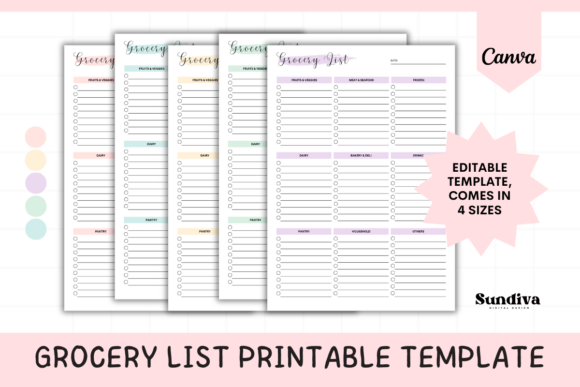
This is the question nobody answers. Every page on the first screen of search hands you one layout and stops, and it is always the same layout: a plain list with checkboxes.
But a heavy day and a foggy day want different sheets. So does a week where the load sits all on one side.
Here is the sorting I use. It takes about ten seconds in the morning.
| How the morning looks | Sheet to pull | You’re short of |
|---|---|---|
| Eight things, all shouting | Eisenhower grid | Ranking |
| Few things, can’t start | Ivy Lee six | A first move |
| Can’t name what’s wrong | Brain dump box | Space to empty out |
| Meetings pin the day | Time-block list | Hours |
| Monday stacked, Friday empty | Weekly spread | A week view |
Two rules make the table work. Write first and rank second, never both at once. And move two things off Monday before Monday arrives, not during it.
In practice I keep two sheets printed and ignore the rest for weeks. The three-and-five sits on the desk, the weekly spread goes in the planner on Sunday evening.
When you want all three cadences without printing anything, an all-in-one digital planner with daily, weekly and monthly pages is the version of this that lives on a tablet.
How to make a to-do list template in ten minutes
You don’t need a design program for this. Word or Google Docs will do it, and the result prints the same every time once you save it as a PDF.
- Choose one layout from the six above. One, not a blend of three. Blends are how templates end up with twenty boxes and no rule.
- Insert a table. For the three-and-five that’s two columns and nine rows: a narrow first column about one centimetre wide for the checkbox, and the rest for the task.
- Add the checkbox. A square symbol from the insert menu works, or simply give the narrow cell a border and leave it empty.
- Put the date line at the top and the notes strip at the bottom, two rows with no vertical lines in them.
- Make the “must do” rows taller than the rest. Row height is the quietest instruction on the page and the one you’ll actually obey.
- Remove the outer border if the page looks like a form. A table with no frame reads as a list, not paperwork.
- Print one test page at one hundred per cent and write on it with the pen you really use. Thin lines and a fat pen is the most common reason a nice template gets abandoned.
- Save as PDF. A document file reflows on a different computer and the boxes move. A PDF doesn’t.
If you want the geometry rather than the description, this is the three-and-five I draw, nine rows in two columns.
| Rows | Height | Holds |
|---|---|---|
| 1 | Single, no borders | Date |
| 2–4 | Double | One big task, two medium |
| 5–6 | Double | Third medium, first small |
| 7–10 | Single | Small tasks |
| 11–12 | Single, no vertical line | Notes strip |
Half a page fits two of those. Build the sheet at half of Letter or A4, cut it down the middle, and each half is a pad-sized list for a clipboard or a planner.
That half-page size is also the one I’d use for a shared family list on the fridge.
If ten minutes of table-drawing isn’t how you want to spend your evening, the pages inside a bundle of editable planner templates open in a browser and you edit the labels instead of the geometry.
Excel, Google Sheets, Notion, OneNote, Trello and Word: the best to do list template in each
The same six layouts behave differently depending on where you put them. The questions people type into search are almost always about the program, not the layout.
| Where you put it | Best at | Fights you over |
|---|---|---|
| Excel, Sheets | Sorting, due dates | Equal rows, flat priorities |
| Notion | Table today, board tomorrow | Grows into a system |
| OneNote | Tagged checkbox lines | Printing |
| Word | The drawn sheet | No sorting, no repeats |
| Trello | Stages, not ticks | No end of day |
| Paper | Staying in sight | Search, repeats, running out |
Paper is the only column where the drawn rule survives. If that is the one you want, the printable pages in a planners and journals bundle come already drawn that way.
To do list format in Excel and Google Sheets
A spreadsheet is the right home for a list that needs sorting and a due date. Task in column A, date in column B, priority number in column C, tick box in column D.
Both programs sort by that priority column, which is the one thing paper cannot do. The cost is that a spreadsheet is a grid: every row is the same height, so the three-and-five loses the trick that makes it work.
Fix it by freezing the top three rows and shading them. Or accept that in a spreadsheet the rule has to be written rather than drawn.
The best free Notion to do list template
Notion is the strongest of these for a list you want to look at in more than one way. The same database shows as a plain list today and as a board by stage tomorrow.
The free templates that hold up are the simple ones: one table, a status field, a date field, nothing else. Anything with eight linked databases is a system you’ll maintain instead of a list you’ll use.
My own test is whether I can add a task in under five seconds on a phone.
How to create a to do list template in OneNote and Word
OneNote has a tag that turns any line into a checkbox. A template there is just a page with your headings typed and the tag applied to a stack of empty lines.
Save that page, then right-click the page tab and set it as a template, so every new page in the section starts from it.
In Word the route is the same idea under a different name. Build the table, then save the file as a template rather than a document, so you open a fresh copy instead of overwriting yesterday.
The best Trello template for a to do list
Trello suits a list where things move through stages rather than get ticked once. Three columns named today, waiting and done is enough, and the card is the task.
Where it struggles is a daily page. There is no end of the day in a board, so yesterday’s cards sit in the first column still looking current. A printed page from a set of editable planner templates beside the board fixes that, because the sheet has a date on it.
If you use it, put a dated card at the top of the column each morning. That card is your date line.
The best to do list template for work
For work the three-and-five wins, with one change: a column on the right for who you are waiting on.
Most work tasks that go stale are not undone, they’re blocked. A list that cannot show “waiting on Dana” shows them as your failure instead.
A handover list template is the same sheet with two extra fields, the state of each item and where the files live. Build it once, because you need it every time somebody goes on leave.
The best daily to do list template
If you only ever print one sheet, print the daily three-and-five. It is the layout that survives a bad day.
Manage the big task and one medium one, and the page still reads as a day with something done on it. A nine-item flat list on the same day reads as seven failures.
For the digital side of all this, a digital planner built for GoodNotes gives you the hyperlinked version. Same layouts, tapped through instead of scrolled, with boxes you tick with a pen.
Paper or app: what changes with a printed template
I use both, and the split is not about preference. Each one is better at a different job.
| The job | Paper | App | Tablet |
|---|---|---|---|
| In sight all day | Yes | No | When open |
| Makes you choose | Yes | No | Yes |
| Weekly repeats | No | Yes | No |
| Searchable | No | Yes | Yes |
| Runs out | A fortnight | Never | Never |
The arrangement I’ve settled on is an app for recurring tasks and a printed sheet for today, copied across in the morning in under a minute.
If you want the tablet version instead of the printer, a GoodNotes planner with tabbed daily and weekly pages is the same two-layer system in one file.
What the demand actually asks for
The search box is more honest than any opinion about productivity, so this part is counted rather than argued. On 6 October 2026 the forty closest neighbours of “to do list template” came out of a Pinterest search measurement I ran that day. Each one carried its volume and its direction of travel. They sort into four groups by what the words ask about.
| What the words ask about | Of forty | Direction |
|---|---|---|
| Medium or program: printable, GoodNotes, Notion, OneNote, Excel, iPad | 16 | 9 growing |
| Look: cute, aesthetic, pink | 9 | 1 up, 7 down |
| Span: daily, weekly, monthly, 2026 | 6 | Flat |
| Job: work, study | 2 | Flat |
The remaining seven just reshuffle the same words. The direction matters more than the split.
Every fast mover in the sample names a medium. “To do list template printable” is up 16.5 per cent. “To do list planner template” up 12.1, “free printable to do list templates” up 7.9. Then “daily to do list template free printable” up 7.6 and “goodnotes to do list template” up 5.7.
The steepest fall sits in the other group, at minus 17.5 per cent, and it belongs to a key about how the sheet looks.
Read plainly, people have stopped asking what the sheet looks like. They are asking where it lives and whether it can be used again tomorrow.
“To do list printable” turns up on its own in the autocomplete list for this key, alongside “to do list template printable” and “to do list printable a4”, which is why the printing section below exists at all. It also explains why a layout you can reuse without reprinting keeps winning: that is exactly what the reusable digital planner pages are for.
Printing and sizing a to-do list printable
A good layout printed badly gets thrown away, and this is where most free sheets lose people. Four things to set once.
- Print from the PDF, not the browser preview. The preview adds its own margins and a header with the page title in it.
- Set scaling to actual size, not fit to page. Fit to page shrinks the sheet by a few per cent and the ruled lines stop matching the pen.
- Check the paper size matches the file. A Letter file on A4 leaves a strip at the bottom, an A4 file on Letter clips the notes strip off the end. If you don’t know which one a free file is, print one page and measure it.
- Use plain paper for daily sheets. You’re going to throw them away. Keep the heavier card for the weekly spread that stays on the fridge for seven days.
Three sizes cover nearly everything, and each one has its own print setting.
| Size | For | Print setting |
|---|---|---|
| Full page | Weekly spread, fridge | Actual size, card |
| Half page | Daily list, clipboard | Two up, plain paper |
| A5 | Planner insert | Two up, actual size |
For the planner size specifically, a planners and journals bundle ships pages already laid out at the common insert sizes, which saves the cutting.
Three files that already hold these layouts
If you’d rather not draw anything, these are the three I’d point at, and they split by where you want the list to live.
| File | Holds | Opens in |
|---|---|---|
| All-in-One Digital Planner | Daily, weekly and monthly in one hyperlinked file | Any tablet or PDF reader |
| All-in-One Digital Planner, Goodnotes | The same, built for pen and tabs | GoodNotes, Notability |
| 60+ Editable Canva Planners Templates | Sixty layouts with the wording open to edit | A browser |
The first two are the reuse route and the third is the edit route. Pick by which limit you hit first: running out of sheets, or needing the layout changed.
To do list ideas, design and the aesthetic question
Most to do list ideas are really design decisions, and three of them do all the work. One accent colour, used only on the “must do” rows. Plenty of white space, because a crowded sheet reads as a crowded day. And a hand-drawn checkbox, which is friendlier than a printed square.
Search for todo list ideas and you get the same three back in a hundred coats of paint. A few more daily to do list ideas worth stealing: a weather box in the corner, a line for one thing you’re grateful for, a “done anyway” row for the jobs that weren’t on the list, and a colour dot for the task you’re dreading.
On to do list aesthetic, I’d be careful. A pretty sheet you don’t want to scribble on gets saved, not used, and the demand numbers above say the same thing: the aesthetic keys are the ones falling.
The to do list ideas aesthetic crowd saves the sheet to a board and keeps writing on the back of an envelope. Pick a to do list design you can ruin with a biro. If you want the pretty version anyway, the editable Canva planner templates let you change the colour without redrawing the grid.
Free templates and when to buy something else
A free printable to-do list template is the right answer for most people most of the time. I’ve used free sheets for years. There are three places where they stop being enough, and all three are about the limits on the file rather than the quality of the drawing.
| Where it stops | Looks like | Fix |
|---|---|---|
| Licence | Your desk only | A commercial file |
| Fixed layout | Rows won’t grow | An editable template |
| Runs out | A fortnight, then low ink | A pad or a tablet |
The licence line is usually one sentence on the download page you skipped, so it’s worth a look before the sheet goes anywhere near a team.
For the fixed layout, the editable Canva planner templates are the open version. For running out, a GoodNotes planner is ticked, cleared and used again the next day without a single sheet of paper.
If you like the daily page enough to use it every morning, a custom to-do list notepad is the physical version of the same fix: your own layout, printed properly, with a tear-off top so there are no loose sheets.
Before you print a to-do list template, confirm:
- It has a date line, a checkbox column, a “later” box and a notes strip.
- The “must do” area holds three lines, not ten.
- The file size matches your paper, and it prints at actual size.
- You’ve tried the pen you’ll really use on one test page.
- You know which layout matches your problem: too many things, foggy head, uneven week or lost hours.
To-do list template: your questions
What should a to do list template include?
A date line, a small “must do” area of three lines, a checkbox column, a “later” box and a notes strip. Those five parts are what make the page a tool instead of ruled paper.
What is a to do list example I can copy?
One big task, three medium and five small, written in that order with the big one at the top. A filled page looks like this.
| Slot | Task |
|---|---|
| Big | Finish the quarterly report |
| Medium | Reply to three emails |
| Medium | Book the dentist |
| Medium | Call the school back |
| Small ×5 | Forms · plants · laundry · bill · parcel |
How many tasks should be on a daily to do list?
Between three and nine. The 1-3-5 rule uses nine: one big, three medium, five small. Below three the page is not worth printing, above nine it stops being a plan.
How to make a good to do list?
Limit it before you fill it. Decide how many lines the page gets, write the tasks into those lines only, and put everything else in the “later” box rather than squeezing it in at the bottom.
How to make a checklist template?
A checklist is a to-do list without the ranking, so drop the priority sizing and keep every row the same height. One narrow column for the box, one wide column for the step, and the steps in the order they happen.
What to do list printable size should I use?
Full page for a weekly spread, half page for a daily list on a clipboard, A5 for a planner insert. Two A5 sheets fit on one A4 page, so print two up and cut down the middle. A planners and journals bundle comes sized for the common inserts already.
Can I make a to do list template in Word or Google Docs?
Yes, and it takes about ten minutes. Insert a table, add a narrow checkbox column, make the priority rows taller, remove the outer border and save the result as a PDF.
What is the best to do list format in Excel?
Task, due date, priority number, tick box, in that column order, with a filter on the header row. Freeze and shade the top three rows so the “must do” area still reads as different.
What is the best free Notion to do list template?
The plainest one you can find: a single table with a status field and a date field. Templates with several linked databases become a system to maintain rather than a list to use.
How do I create a to do list template in OneNote?
Type your headings on a page, apply the to-do tag to a stack of blank lines, then right-click the page tab and set the page as a template for that section.
What is the best Trello template for a to do list?
Three lists named today, waiting and done. Add a dated card at the top of today each morning, otherwise a board has no end of day and yesterday’s cards look current.
What is the best to do list template for work?
The three-and-five with an extra column for who you are waiting on. Work tasks usually stall because they’re blocked, and a list that cannot show the blocker blames you instead.
How do I do a handover list template?
Take the work sheet and add two fields to every line: the current state of the item and where the files live. Write it once and reuse it each time somebody goes on leave.
Is a paper to-do list better than an app?
Neither wins outright. Paper stays in sight and slows you down enough to choose. A todo list app handles repeating tasks and search. Most people who stick with a list use both.
What is the best to do list template overall?
The daily three-and-five, printed at half page. It is the only one of the six that still reads as a decent day when you’ve managed two items out of nine.
Is there a version I don’t have to print every week?
Yes, on a tablet. An all-in-one digital planner holds the daily, weekly and monthly pages in one hyperlinked file, and the boxes are wiped and reused instead of reprinted.
Key takeaways
- A template beats a blank page because the shape of the page makes the decisions you’d otherwise make at eight in the morning.
- Three “must do” lines is the rule that keeps a list finishable, and row height is how you enforce it.
- Match the layout to the problem: too many things, foggy head, uneven week or hours that disappear.
- Build your own in Word or Google Docs with a table, then save it as a PDF so it prints the same next month.
- Demand in Pinterest search is moving towards the medium rather than the look: sixteen of forty neighbouring searches name a format or program, and nine of those sixteen are growing.
- Free sheets are licensed for your own desk and cannot be altered, so the moment you need to change the layout or hand it to someone, you need an editable file.
- If the printer is the part you want to drop, a GoodNotes planner with tabbed daily and weekly pages is the same set of layouts, reused instead of reprinted.
Next pages to try. For the year view above the weekly spread, 2027 calendar printable free. To test your print settings on one month, January 2027 calendar printable. For the paper side of the site, junk journal ideas and how to make an explosion box. Or browse the category pages: calendars and trackers, planners and planner pages, journaling ideas and pages and printables.